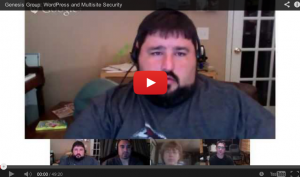
The Google+ Genesis Community had a hangout to discuss the different ways to secure a WordPress install and a multisite. We discussed various methods and plugins.
The first line of defense against a hack attack it to ensure you have a secure username, secure password and that you keep your WordPress software up to date. The massive hacks over the past several weeks have been successful because of users using the Admin username with a simple to crack password, like ‘abc123.’
Keep you WordPress site secure with some basic security measures. Listen to the hangout to get our take.
Several links, plugins and videos are referenced in the video, here are the links to those assets.
Plugins:
http://wordpress.org/plugins/sucuri-scanner/
http://wordpress.org/plugins/stealth-login-page/
http://wordpress.org/plugins/spam-free-wordpress/
http://www.toddlahman.com/spam-free-wordpress/
http://vaultpress.com/
http://wordpress.org/plugins/wordpress-mu-domain-mapping/
Resources:
http://wpebooks.com/2010/09/how-to-enable-multisite-in-wordpress/
http://wpebooks.com/custom-registration/ (This is a great resource on preventing Splog on a Multisite install)
Videos:
http://wordpress.tv/speakers/tony-perez/
http://www.youtube.com/watch?v=ctd41aCVHV0
If you have additional thoughts or suggestions, please share them in the comments below.
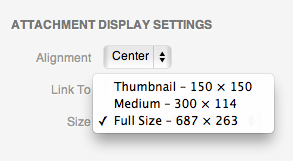
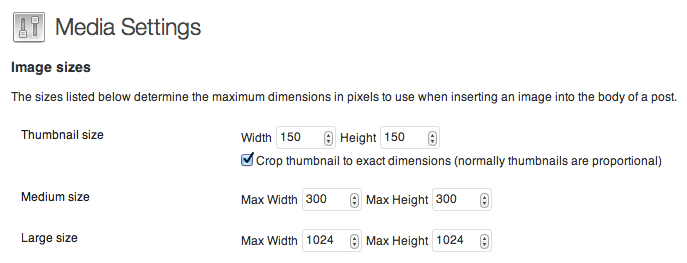
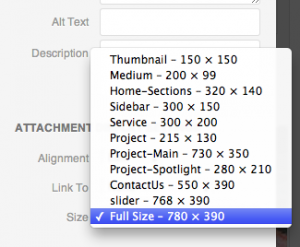 When you have this added to your theme, you will now have access to all of the image sizes.

 When editing content in the TinyMCE editor, it would be nice for the text to look like it will once you publish the content. In previous versions of WordPress, there was no easy way to do this. You had to do some hacks to get the visual editor to display your style sheet.